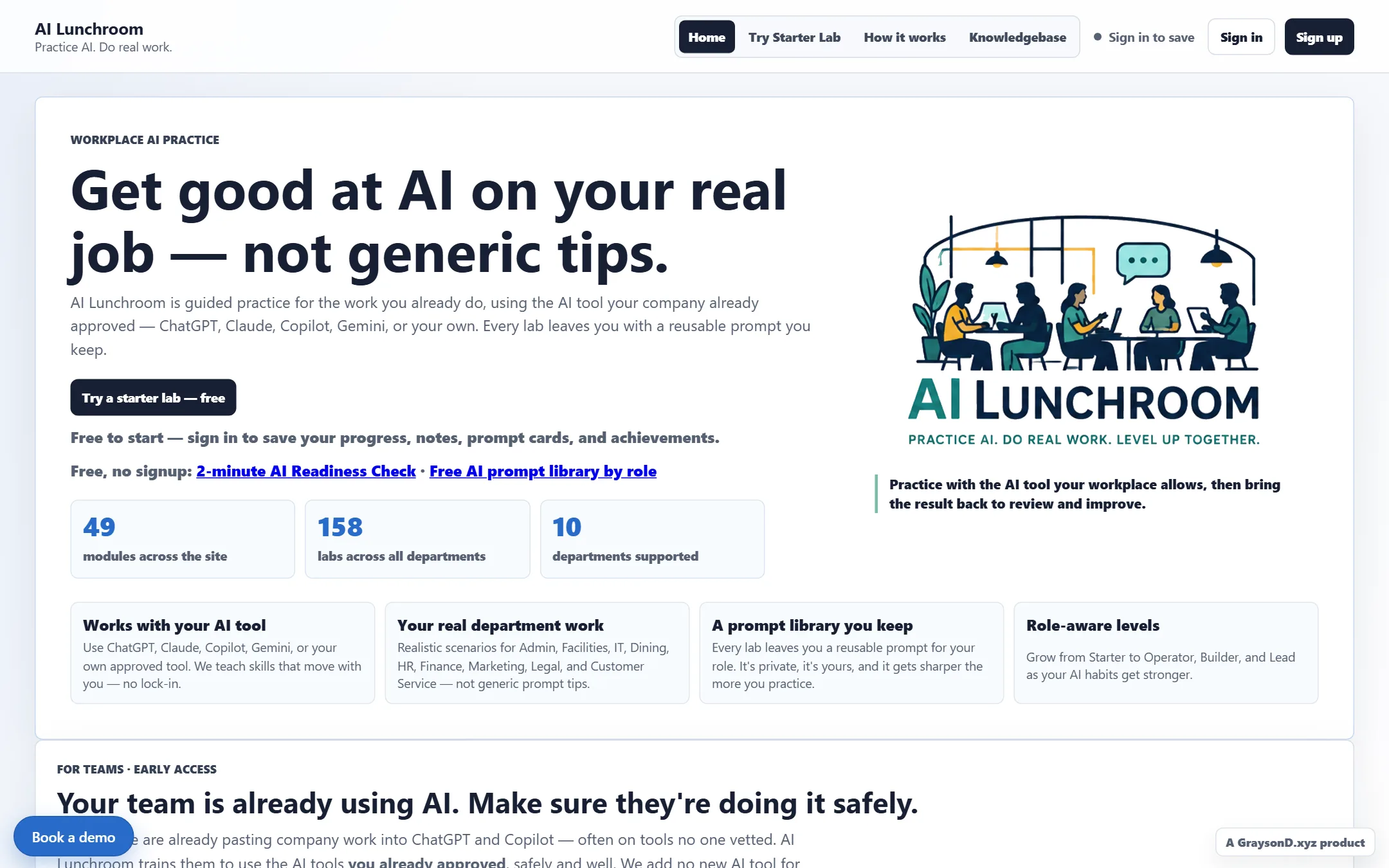
Status: private beta. AILunchroom.com is in active development with around 50 private-beta users. The figures below are current build scope — 49 practice modules, 158 hands-on labs, across 10 departments — not a finished-product claim.
Why I built it
AILunchroom.com started from a simple frustration: a lot of AI training sounds polished in a presentation and then falls apart when someone tries to use it at work. I wanted a product that treats AI practice like a real work session, not a lecture.
Product thesis
People learn faster when the examples feel close to their actual job. AILunchroom uses realistic prompts, guided labs, role-aware paths, and exercises that leave the user with a concrete takeaway.
How it works
- Practice tied to real work. The 49 modules and 158 hands-on labs are organized around the jobs people actually do, across 10 departments, rather than generic "intro to AI" material.
- An intent-based knowledgebase. Instead of a glossary, learners pick the question closest to what they need and move straight into relevant practice.
- Concept guides that connect to practice. Plain-English explanations link directly to the labs where the idea gets used, so understanding and doing stay together.
- A usable takeaway. Each lab is built to leave the learner with a prompt and a final output they can bring back to their own work.
- Bring your own tool. The product embeds no model of its own. Learners practise with the assistant their workplace already allows, so the training pays off whatever the organization runs.
My role
- Product concept and positioning.
- Training structure, lab flow, and prompt design.
- Frontend implementation, the Worker, and deployment.
- Ongoing copy, curriculum, UX, and operating decisions.
Design choices
The product is for people who are curious about AI but not trying to become AI specialists. That shapes the interface: clear steps, visible outputs, less jargon, and prompts that sound like workplace requests rather than platform instructions.
Build notes
Under the product is a deliberately small stack: a hash-routed vanilla-JavaScript application built with Vite and served by a single Cloudflare Worker, with a static, generated knowledgebase beside it. The engineering choices are the part of the story that transfers to other work.
- An agent-readable knowledgebase. One build script generates the public knowledgebase pages together with a sitemap, robots rules for AI crawlers, FAQ structured data,
llms.txt, a full-textllms-full.txt, and aknowledgebase.jsonindex — a machine-readable copy of the same guidance a person reads. Prompt-library pages carry an "Open in your agent" handoff that copies the prompt and opens the reader's own assistant, which is the product thesis expressed as a button. - Growth pages, generated from the same source. July 2026 added ten "free AI prompts for <role>" pages with FAQ schema, a no-signup AI Readiness Check that returns a result in about two minutes, and a plain-English AI glossary. They are static output of the knowledgebase generator, not hand-maintained pages, so they cannot drift from the curriculum.
- CI that gates, deploys that are deliberate. Every push runs a syntax check, the unit tests, a user-flow audit, and a build on a clean runner. Production deploy is a separate, manual-only workflow, and the repository's own tooling refuses to publish anywhere except the one production domain. Ten audit, QA, and smoke scripts sit beside the tests for lab usability, curriculum semantics, path completion, and live-site checks.
- A feature-flagged migration to Cloudflare D1 and first-party sessions — deployed dark, cutover pending. The learner data and sign-in layer, originally on two third-party services, has a Cloudflare-native replacement living in the same Worker: sessions are an opaque random token in an HttpOnly, Secure, SameSite cookie with only its SHA-256 hash stored, a 30-day sliding expiry, and server-side revocation; every mutating request passes an Origin and Sec-Fetch-Site CSRF check; email one-time codes are six digits, hashed with a server pepper, valid for ten minutes, single-use, and capped at five guesses; and fixed-window rate limits per email and per IP live in D1. The hash is the part that matters on the session side: the table holds nothing that can be replayed as a cookie, so a leaked row, backup or log yields a value the server will never accept. On the code side, six digits is one of a million and is not much of a secret by itself — the ten-minute window, the five-guess cap and a pepper that lives outside the database are what make it safe to send over email. Google sign-in is OpenID Connect with PKCE implemented in the Worker against Google's published keys. The whole path is selected by one configuration variable, so the flip is a one-line change and the rollback is the same line reversed. It is deployed to production and dark: users are still on the previous provider until the owner-run prerequisites are complete.
- The D1 row-cap workaround. D1 caps a table row at 2 MB and heavy learners produce larger per-user JSON maps. Rather than change the client contract, the two large maps live one blob per row in a side table and are merged back in the Worker, so the five storage verbs the application already uses stay unchanged. The one-shot import script uses bound parameters to stay under the platform's inline-statement limit, keeps existing user identifiers verbatim so local caches line up, and supports dry-run, local, and remote modes.
Operating boundaries
The product has to be careful with privacy, user expectations, and overpromising. AI practice can be powerful, but the product should still make room for review, judgment, and the limits of model output. The training makes no claims about outcomes; it is practice with the tools people already have.
Related
See Practical AI Implementation for the broader adoption frame, and ITLunchroom.com — the security-and-tech sibling — for the same hands-on approach applied to everyday workplace tech and security. The AI Token Budget Lab is the cost-side companion to the practice model.
Flight log
- 2026 Q1Build starts. The trigger: executives racing to deploy AI while frontline teams — the widest spread of skill levels — had no real path in. Training only the top felt unfair.
- 2026 Q1Department-first curriculum locked in. The core context is the job being done — blanket training dilutes what each team actually needs, and maintenance does not need healthcare examples.
- 2026 Q1Killed in-site AI integration early. The training has to pay off for any organization, whatever tool set they already run.
- 2026-04First private-beta users arrive — friends, colleagues, and public outreach on Reddit and social.
- 2026-04Free with a login, deliberately — individual practice stays free as the funnel, while organization contracts unlock deeper department-level personalization.
- 2026-07Growth pages ship: ten role-based free prompt pages, a no-signup AI Readiness Check, and a plain-English AI glossary, all generated into the public knowledgebase.
- 2026-08Cloudflare-native auth and storage deployed dark behind a feature flag — first-party sessions on D1, email one-time codes, Google sign-in — with cutover pending.
- nowPrivate beta. Curriculum, growth pages, and the migration runbook are all in motion.